Education
Never Stop Learning
Student login made easy with Classcipe! Find the answers to all your questions about accessing our platform and enhancing your learning experience on our FAQ page.
Q1. How do I join my teacher's online session?
Ans.
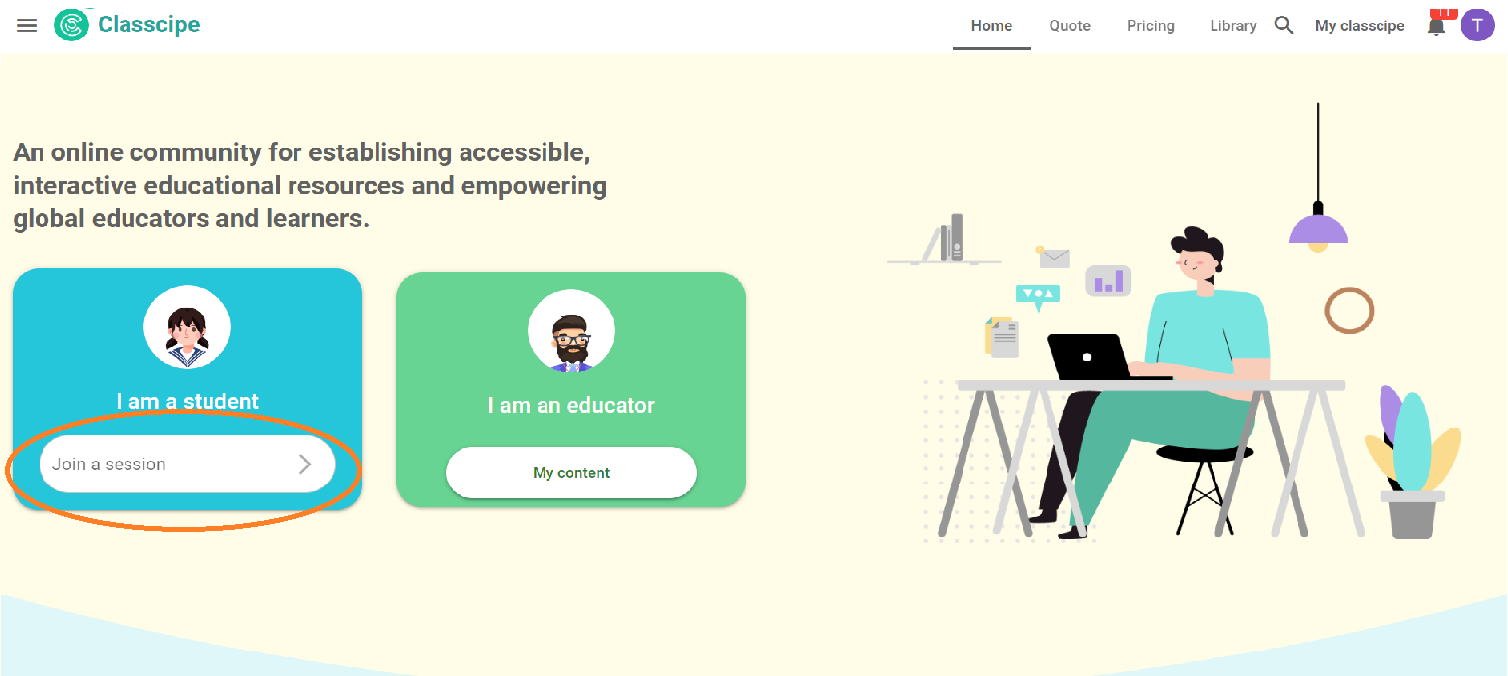
Go to www.classcipe.com.
You will have to login to Classcipe through a Session code shared by your teacher.
watch vid
eo
Q2. How will I receive feedback from my teacher?
Ans.
You will receive feedback from your teacher either in a synchronous or asynchronous manner. You will be able to view it by clicking on the feedback icon appearing at the bottom right of your screen.
Q3. Will I be able to access the task shared by the teacher during the online session?
Ans. You will be able to assess the task depending on the task requirement. If some practice worksheets are handed over by the teacher to be done in an asynchronous mode, then the task will be available to you in the ‘Ongoing’ tab.
Q4. How can I upload my submission to my classroom?
Ans. For submission of assignment task where the teacher has used multimedia interactive question, you can submit a video clip, an audio clip, upload image or pdf document. You may watch the video about multimedia add-on interactive question below.
watch video
This email address is being protected from spambots. You need JavaScript enabled to view it.
Image from Freepik